3. Dashboard
This section explains the Customer Portal dashboard, including navigation, pending work, shortcuts, operational notifications, and summary information.
3.1 Overview
After logging into the CSG Customer Portal, users will be redirected to the Dashboard page.
The dashboard provides an overview of daily 3PL operations, including inbound receipts, outbound orders, return orders, inventory information and order notifications.
Users can also quickly access commonly used functions through the Quick Access section.
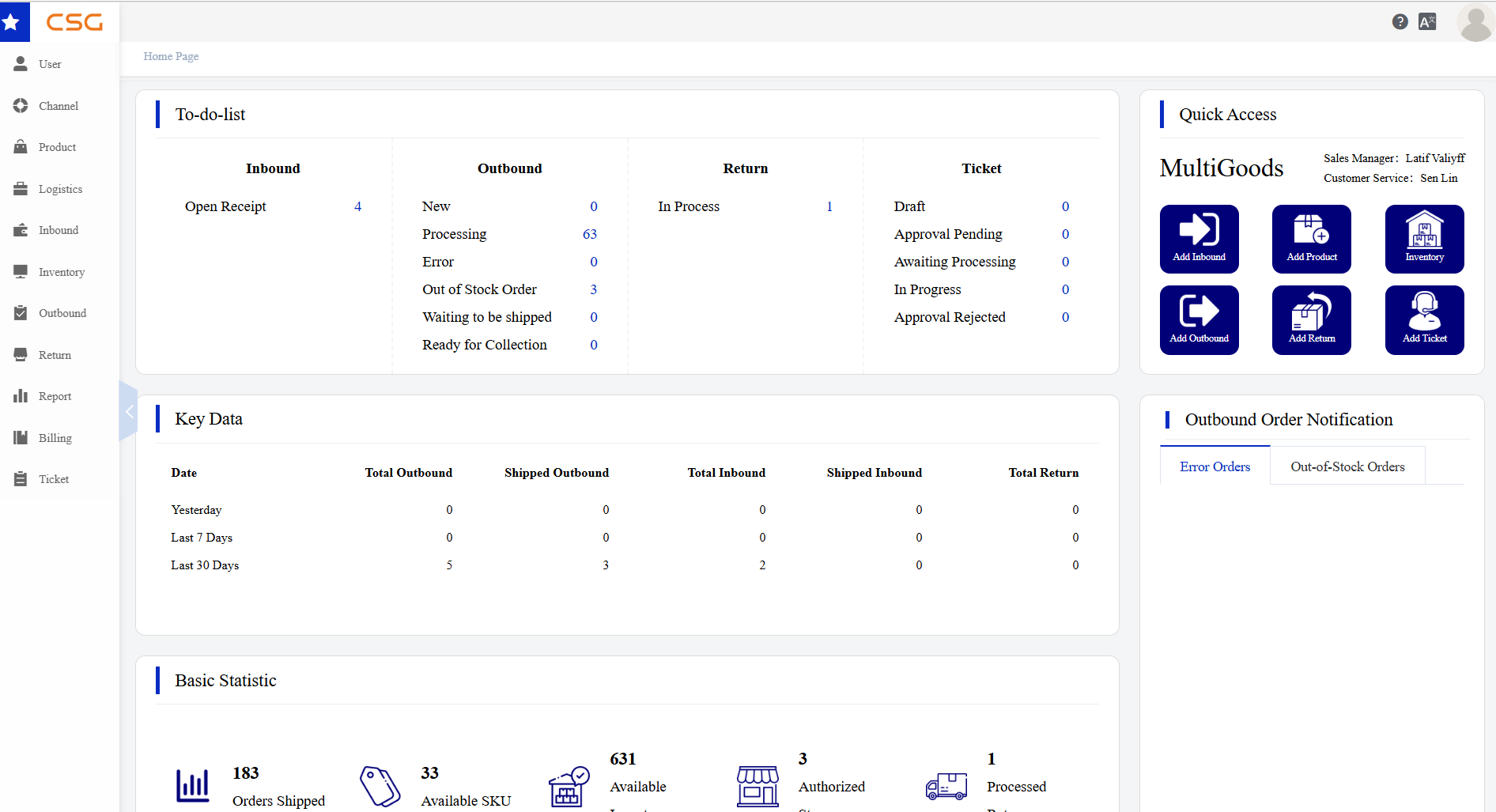
Figure 1. Overview screen from the CSG ERP User Manual.
3.2 Main Functions
| Function | Description |
|---|---|
| Navigation Menu | Allows users to access different modules, such as User, Channel, Product, Inbound, Inventory, Outbound, Return, Report, Billing and Ticket |
| To-do-list | Displays pending inbound, outbound, return and ticket tasks |
| Quick Access | Provides shortcut buttons for common actions, such as Add Inbound, Add Product, Inventory, Add Outbound, Add Return and Add Ticket |
| Key Data | Shows recent inbound, outbound and return statistics |
| Outbound Order Notification | Displays error orders and out-of-stock orders |
| Basic Statistic | Shows key figures such as shipped orders, available SKUs and processed orders |
| User Profile | Allows users to access account-related settings |
Source
CSG ERP User Manual, section 3, "Dashboard".