13. Report
The Report module provides downloadable operational reports available to the customer through the Customer Portal.
13.1 Overview
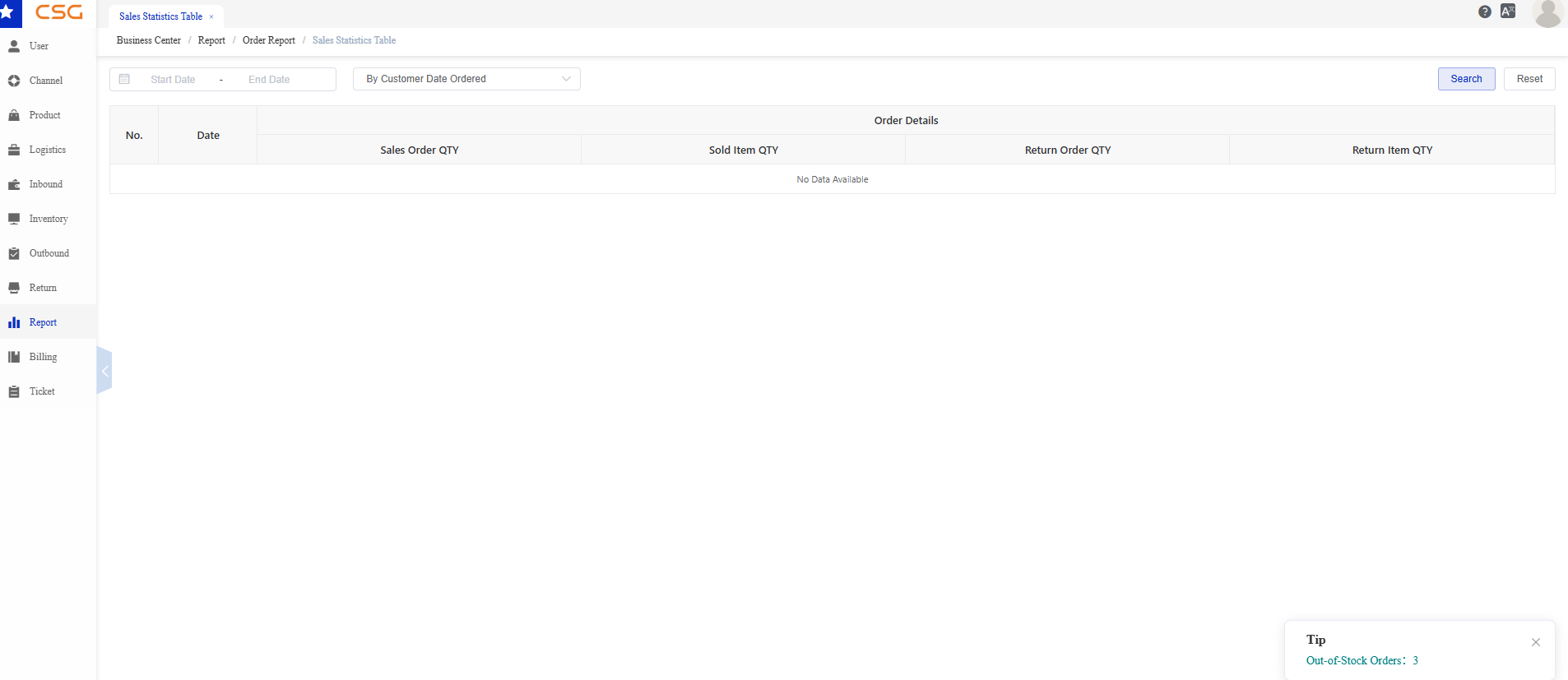
Figure 1. Overview screen from the CSG ERP User Manual.
The Sales Statistics Table provides summary statistics for sales and return transactions within the selected period.
Users can filter data by:
Date Range
Statistical Period
Click Search to generate the report or Reset to clear all filters.
The report currently includes the following metrics:
| Field | Description |
|---|---|
| Sales Order QTY | Total number of sales orders. |
| Sold Item QTY | Total quantity of items sold. |
| Return Order QTY | Total number of return orders. |
| Return Item QTY | Total quantity of returned items. |
Notes
Report data is displayed according to the selected filter conditions.
If no matching records are found, the system displays No Data Available.
Additional report types and analytical functions will be introduced in future versions.
Source
CSG ERP User Manual, section 13, "Report".