10. Inventory
The Inventory module provides visibility of warehouse stock, availability, movements, and other inventory information presented in the Customer Portal.
10.1 Overview
The Inventory module allows users to view current inventory levels, track inventory movements, and manage batch-controlled stock.
Users can:
View available inventory.
Search inventory records.
Export inventory information.
Track stock movement history.
Monitor inbound and outbound inventory changes.
Manage batch and expiration-controlled inventory.
The Inventory module includes:
Inventory Query
Stock Movement
Batch Inventory
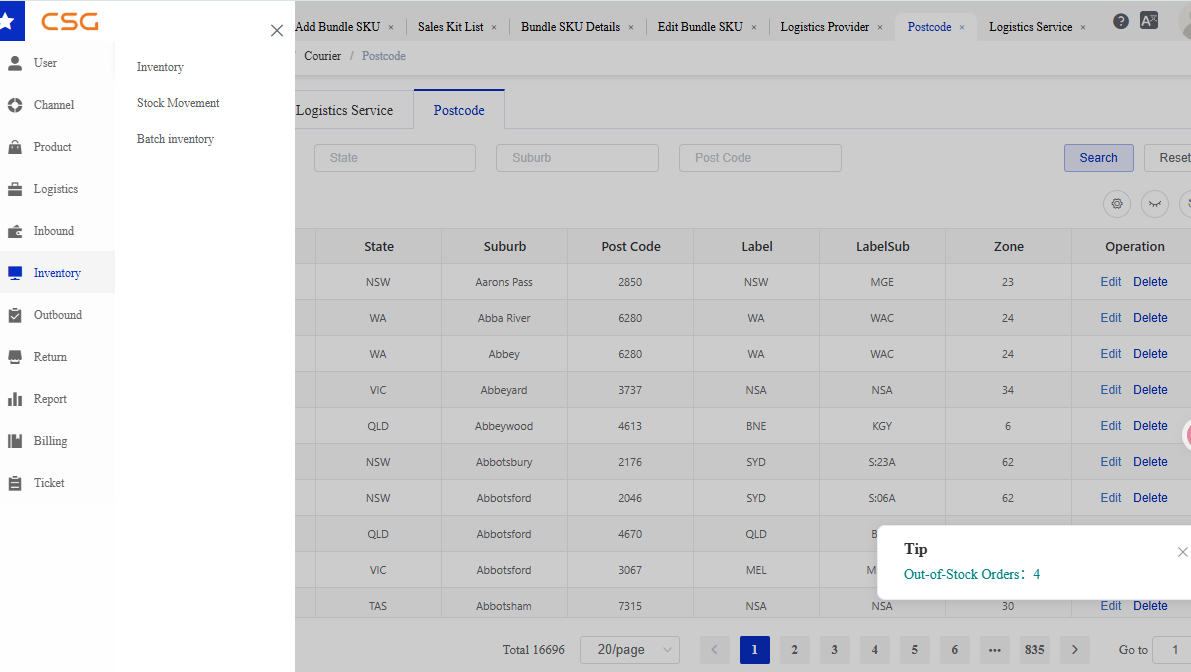
Figure 1. Overview screen from the CSG ERP User Manual.
10.2 Inventory
10.2.1 Overview
Navigation
The Inventory page displays current stock availability for all products stored in the warehouse.
Users can search inventory records and export inventory information.
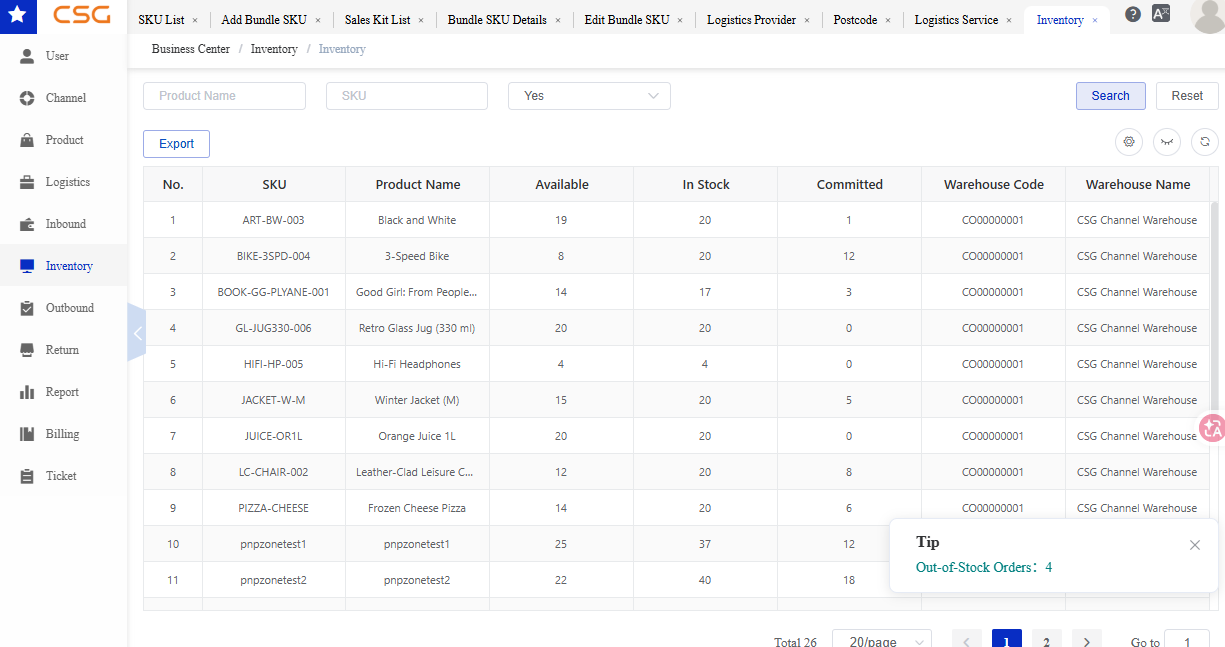
Figure 2. Overview screen from the CSG ERP User Manual.
10.2.2 Search Filters
Users can search inventory records using the following criteria:
| Field | Description |
|---|---|
| Product Name | Product name |
| SKU | Product SKU code |
| Yes/No | Inventory availability status |
10.2.3 Main Functions
| Function | Description |
|---|---|
| Search | Search inventory records |
| Export | Export inventory information |
10.2.4 Inventory Information
The inventory table displays the following information.
| Column | Description |
|---|---|
| SKU | Product SKU code |
| Product Name | Product description |
| Available | Available inventory quantity |
| In Stock | Total inventory quantity |
| Committed | Reserved inventory quantity |
| Warehouse Code | Warehouse identifier |
| Warehouse Name | Warehouse name |
Inventory Definitions
| Field | Description |
|---|---|
| Available | Quantity available for allocation |
| In Stock | Physical inventory quantity |
| Committed | Quantity reserved for orders |
Formula:
Available Inventory = In Stock - Committed
10.3 Stock Movement
10.3.1 Overview
Navigation
The Stock Movement page displays inventory transaction history and quantity changes.
Users can track stock increases and decreases generated by warehouse operations.
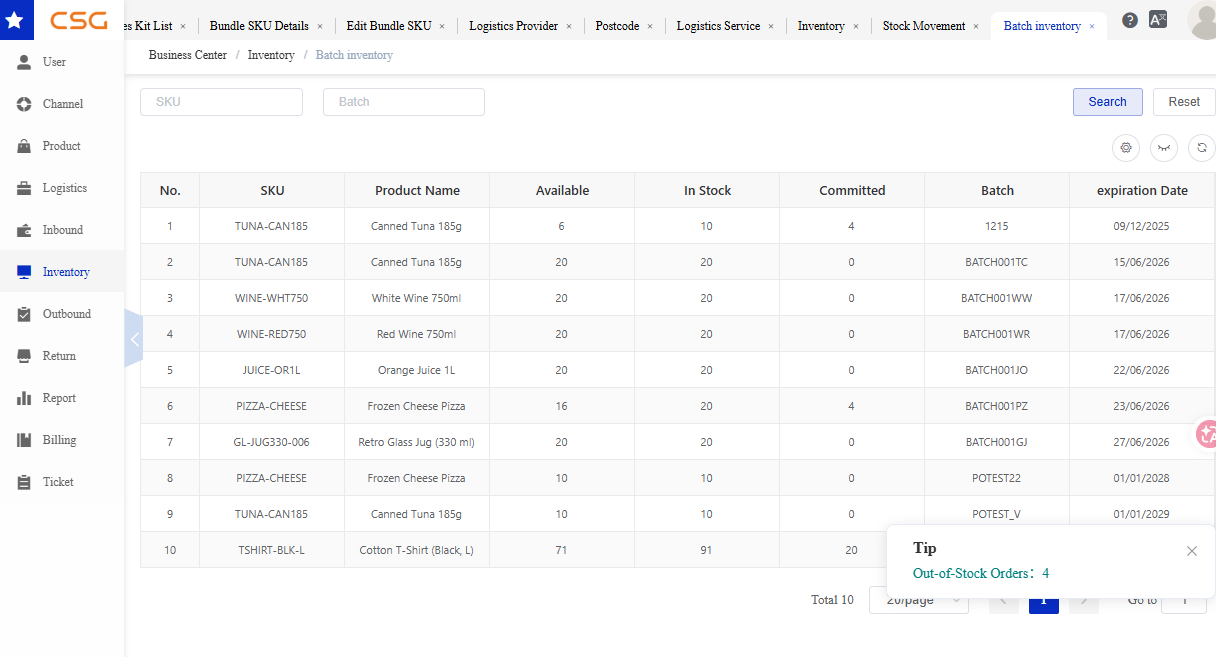
Figure 3. Overview screen from the CSG ERP User Manual.
10.3.2 Dashboard Summary
The dashboard displays inventory movement statistics.
| Indicator | Description |
|---|---|
| PO Inbound | Inventory received through purchase orders |
| Order Outbound | Inventory shipped through customer orders |
| Customer Returns | Inventory returned by customers |
10.3.3 Search Filters
Users can search for movement records using:
| Field | Description |
|---|---|
| Date Range | Transaction date range |
| SKU Identity | Product SKU |
| Move Type | Inventory transaction type |
10.3.4 Stock Movement Information
| Column | Description |
|---|---|
| Date | Transaction date |
| SKU Identity | Product SKU |
| Move Type | Inventory movement type |
| Qty Change | Quantity increase or decrease |
| Reference No | Related transaction reference |
10.4 Batch Inventory
10.4.1 Overview
Navigation
The Batch Inventory page displays inventory managed by batch number and expiration date.
This page is mainly used for products requiring batch tracking and expiry management.
10.4.2 Search Filters
Users can search for batch inventory using:
| Field | Description |
|---|---|
| SKU | Product SKU |
| Batch | Batch number |
10.4.3 Batch Inventory Information
The batch inventory table displays the following information.
| Column | Description |
|---|---|
| SKU | Product SKU |
| Product Name | Product description |
| Available | Available inventory quantity |
| In Stock | Total inventory quantity |
| Committed | Reserved inventory quantity |
| Batch | Batch number |
| Expiration Date | Product expiration date |
Source
CSG ERP User Manual, section 10, "Inventory".